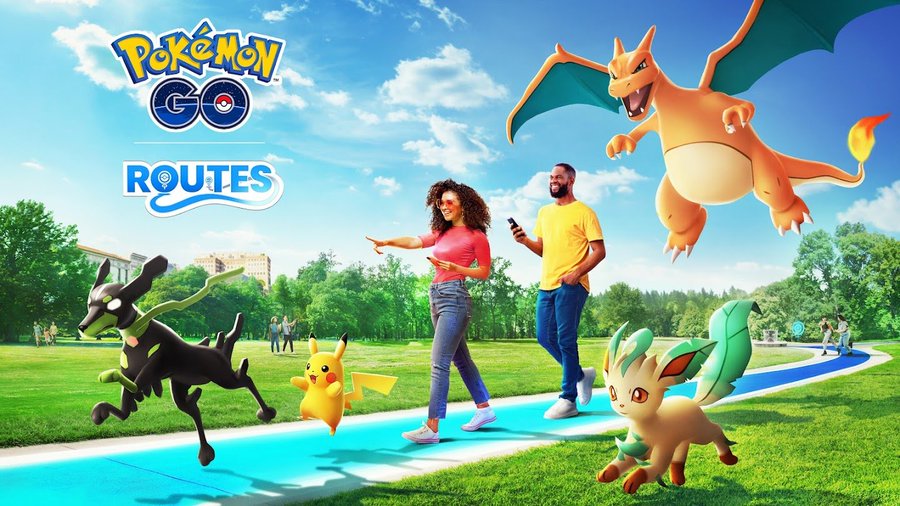
Pokémon GO Routes are predefined paths that Trainers can follow while exploring the real world. Completing Routes can provide rewards, Route Badges and opportunities to encounter Mateo, while Routes are also an important way to look for Zygarde Cells.
This Pokémon GO Routes guide explains how the feature works, how to find and complete Routes, the requirements for creating your own, how Mateo and Zygarde Cells fit into the system, and the key limitations Trainers should know.
What are Routes in Pokémon GO?
A Route is a predefined path that Trainers can follow while exploring. Routes can be created by Trainers, official partners and the Pokémon GO team.
Routes have designated starting and ending points. Depending on how a Route was created, it may be one-way, reversible or a loop.
Following a Route can provide exploration bonuses and Pokémon encounters, while completing one awards the Route’s associated badge. Repeating the same Route can increase the level of that Route Badge.
How to find Routes in Pokémon GO
There are two main ways to find nearby Routes: through Pokémon GO’s Nearby menu or through Campfire.
Find Routes in Pokémon GO
- Open the Nearby menu.
- Select the Routes tab.
- Tap See Nearby Routes to expand the map.
- Select a Route to view its details.
- Check its length, estimated completion time, direction and other information.
- Tap Follow when you are ready to begin.
The Route preview can also show how many Trainers have followed the Route, how many times you have completed it and information provided by its creator.
If a Route is reversible, you can tap Reverse Direction before starting it. A loop Route can be followed around its designated path.
Can you find Routes in Campfire?
Yes. Campfire has a Routes map showing nearby Routes and information such as their distance, estimated completion time, starting point and whether they are reversible.
However, you still need to physically reach the Route’s starting point and select the Route through Pokémon GO to begin following it.
What level do you need to follow a Route?
You must reach Level 7 in Pokémon GO before you can follow a Route.
Child accounts can have additional restrictions depending on their account settings.
How to follow a Route step by step
Once you have found a suitable Route, follow these steps:
- Open the Route’s details.
- Tap Follow.
- Travel to the Route’s starting point.
- Once you are close enough, Pokémon GO begins tracking your progress.
- Follow the path shown on the map.
- Continue until you reach the designated endpoint.
- Open the Active Route Menu.
- Tap Complete Route and confirm.
The Route path changes color as you make progress, allowing you to track how much of the route you have completed.
Why won’t my Route complete at the endpoint?
Reaching the endpoint does not necessarily mean that the Route is complete. If you did not follow the exact path set by the creator or have not traveled the full required distance, Pokémon GO may require you to resume the Route and continue following it.
Routes also do not automatically complete when you reach the endpoint. You must manually select Complete Route.
This manual completion step is particularly important for Trainers looking for Zygarde Cells.
Can you pause a Route?
Yes. You can pause an active Route from the Active Route Menu.
When you pause, Pokémon GO records your location. To resume the Route, you need to return to the location where you paused and resume it from the Route menu.
If you no longer want to continue, you can instead quit the Route.
What rewards do Routes give?
Completing a Route awards its associated Route Badge. The badge features a custom image from the Route’s starting or ending point.
Repeating a Route can level up its individual badge, and your Route Badges can be viewed from the Routes section of your Trainer Profile. Routes may also provide Pokémon encounters, bonuses and other rewards while you explore.
The specific rewards available can vary, so check the Route and current in-game information rather than assuming every Route offers the same items or encounters.
How do Zygarde Cells work with Routes?
Zygarde Cells can appear while you are following Routes.
One important Route mechanic is that the game does not automatically complete a Route when you reach its endpoint. This gives you an opportunity to look for a Zygarde Cell that you may have noticed near the end of your journey.
If your main reason for following Routes is collecting Zygarde Cells, check the area around the endpoint before manually selecting Complete Route.
Who is Mateo in Pokémon GO?
Mateo is a character associated with Routes who can facilitate Gift Exchanges.
When you encounter Mateo, you can exchange a Gift and its associated Postcard from a nearby PokéStop or Gym. The exchange can give you a Gift and Postcard from another Trainer, which can also help expand your Postcard collection.
Mateo can be encountered once per day on your first Route, at the end of that Route, according to the official Pokémon GO Help Center.
Mateo and Gift Exchanges are separate from Zygarde Cell appearances, so interacting with Mateo does not increase your chances of finding a Zygarde Cell.
How to create a Route in Pokémon GO
Route creation is available to eligible Trainers. If the feature is available on your account, you can start from the Routes section of the Nearby menu or from the Routes section of your Trainer Profile.
Step 1: Choose a starting point
Select a nearby PokéStop or Gym as the Route’s starting point.
Choose this location carefully because the starting point cannot be changed after you begin recording the Route. If you need a different starting point after recording has begun, you must quit and restart the creation process.
Step 2: Choose an endpoint
Select a PokéStop or Gym as the Route’s endpoint, or choose the endpoint later while recording.
You can use the same location for the start and endpoint to create a loop.
Step 3: Record the Route
Travel along the path you want other Trainers to follow.
A Route should be a continuous path with a clearly defined beginning and end. Official guidance recommends creating Routes that are practical and accessible for other Trainers.
You can pause recording and resume it as needed while creating your Route.
Step 4: Add the Route details
After recording the path, add the required Route information, including its title and description.
You can also use Route tags and select the imagery and color associated with the Route Badge.
Step 5: Submit the Route
After reviewing the information, submit the Route for moderation.
You can check its status from the Creator section of your Trainer Profile. Once a Route has been submitted for moderation, it cannot be edited or deleted.
An approved Route will appear in the Nearby menu under the Routes tab.
How long can a Pokémon GO Route be?
Official Route guidance allows Routes between 0.5 km and 20 km in length.
The official recommendation is to keep a Route at 2 km or less when possible so it is accessible to more Trainers.
For creators, a shorter Route can therefore be a better choice than making the maximum possible distance unless there is a specific reason for a longer route.
Pokémon GO Route creation requirements and limitations
When creating a Route, keep the following official requirements and recommendations in mind:
- Start and endpoint locations must use eligible PokéStops or Gyms.
- Sponsored PokéStops and PokéStops or Gyms associated with special events cannot be selected as Route endpoints.
- The path should be one continuous route.
- Routes should avoid private residences and dangerous or restricted locations.
- Routes should not direct players through sensitive locations.
- A Route cannot be edited or deleted after submission for moderation.
- Routes must pass moderation before becoming available to other Trainers.
Best Pokémon GO Routes tips
Choose a Route that fits your goal
If you are mainly interested in Zygarde Cells, prioritize Routes that are convenient to repeat rather than simply choosing the longest Route available.
If you want to build Route Badges, repeating the same practical Route can help you progress that individual badge.
Check for Zygarde Cells before completing a Route
Do not immediately press Complete Route after reaching the endpoint if you are looking for Zygarde Cells. Pokémon GO keeps the Route active specifically so you have an opportunity to collect a Cell you may have missed.
Use reversible Routes when convenient
If a Route is reversible, you can change its direction before starting it. This can make a Route easier to fit into a walking route that starts from the opposite end.
Follow the marked path
Simply reaching the endpoint is not always enough. If your progress does not complete, continue following the Route until you have traveled the required path and distance.
Create safe, accessible Routes
If you are creating Routes, choose locations where Trainers can safely walk and play. Avoid private property, highways, railway tracks, construction areas and other prohibited or dangerous locations.
Official guidance also recommends popular community play locations such as local parks for Route start and end points.
Pokémon GO Routes FAQ
Can anyone follow a Route?
Eligible Trainers who have reached Level 7 can follow Routes, subject to applicable account restrictions.
Can I start a Route from the middle?
No. You need to be physically at the Route’s designated starting point to begin it.
Can I reverse a Route?
Yes, if the creator made the Route reversible. You can select Reverse Direction before starting it.
Do Routes automatically finish?
No. After reaching the endpoint, you must manually select Complete Route. This also gives you an opportunity to look for Zygarde Cells before finishing.
Can I repeat a Route?
Yes. Repeating a Route can increase the level of its Route Badge.
Does Mateo appear on every Route?
No. The official Pokémon GO Help Center states that Mateo can be encountered once per day on your first Route, at the end of that Route.
Why are there no Routes near me?
Only approved Routes appear in the Nearby menu. If none are visible, there may not be an approved Route close enough to your current location.
Can I edit a Route after submitting it?
No. Once a Route has been submitted for moderation, it cannot be edited or deleted.
Are Routes still part of Pokémon GO under Scopely?
Yes. Pokémon GO is now developed and published by Scopely, with the former Niantic games team operating as Scopely Explore. The Pokémon GO team has said that the team remains the same while operating under the new Scopely Explore name.
Bottom line
Pokémon GO Routes are a useful exploration system for Trainers who want to earn Route Badges, find Route-related rewards, encounter Mateo and search for Zygarde Cells. You need to be at least Level 7 to follow Routes, and you must begin from a Route’s designated starting point.
For the best results, choose Routes that fit your walking plans, follow the marked path closely and check for Zygarde Cells before manually completing the Route. Trainers creating Routes should use safe, accessible paths and follow the official Route requirements before submitting them for moderation.
Source: Pokemon